

New UniConverter Version 12 with New Video Editor
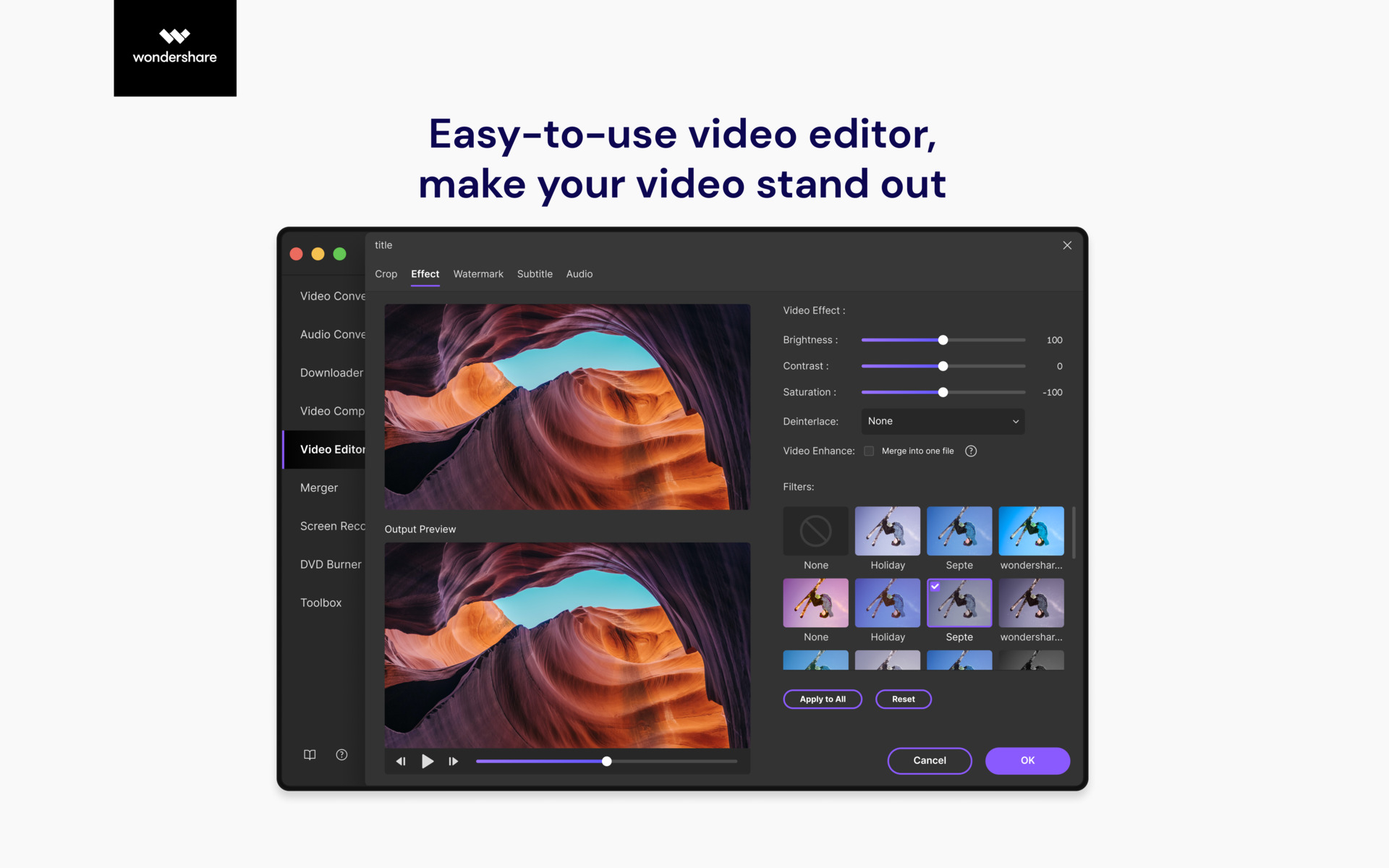
The UniConverter Version 12 by Wondershare (SHE: 300624) hit the market on July 08, 2020. The updated variant has redesigned Video Editor available under its own, separate category with easy-to-access editing tools all packed and placed under one umbrella. The users can exploit these options to edit action sports footage, family vacation recordings, or special events’ videos.
The new gears in the Video Editor section are available as tiles (buttons) that include:
Trim
The users can smartly use the ‘Cut’ and ‘Delete’ buttons to split the films in two or more fragments for convenient media transfers.
Watermark
Mostly used by the organizations, with the Watermark tile, the editors can burn an image or text on to the footages for brand promotions. The method is also helpful in protecting the content from copyright infringement.
Crop
The Crop tool can remove unwanted portions like hard-coded subtitles or black borders from the video frames, so only the main content remains visible to the viewers.
Effect
The users can adjust the brightness, contrast, and saturation of the clips from the Effect box. The window also has a couple of filters presets that the editors can use to make the video stylish and engaging.
Subtitle
With this tool, the users can add subtitles to their videos to capture a broad audience. However, unlike other post-production applications, UniConverter v12 still lacks the option for typing the captions to the videos on-the-go. Instead, the software only allows users to search for the subtitles online and import an existing *.srt file.
Audio
The Audio window has a slider to increase or decrease the volume of the videos globally. Currently, there are no other sliders or buttons available under this window.
Merger
The Merger feature can stitch two or more clips into one.
UniConverter v12 offers improved performance and up to 30% faster-processing speed as compared to its predecessors. According to one of the project managers, the new variant is the most significant upgrade ever since the software was first unveiled back in 2009 by the name of Wondershare Video Converter Ultimate.
Lately, Wondershare also came up with an online version of UniConverter. Online UniConverter requires no installation and offers almost all the tools and options that its PC variant has, and they work equally efficiently.
( Press Release Image: https://photos.webwire.com/prmedia/70840/261511/261511-1.jpg )
WebWireID261511
- Related Keywords
 Uniconverter
- Video Editor
- Wondershare
- Contact Information
- Taylor Lei
- Marketing Manager
- Organization
- Contact via E-mail
This news content may be integrated into any legitimate news gathering and publishing effort. Linking is permitted.
News Release Distribution and Press Release Distribution Services Provided by WebWire.