

Helping families navigate controls for teens on Pinterest
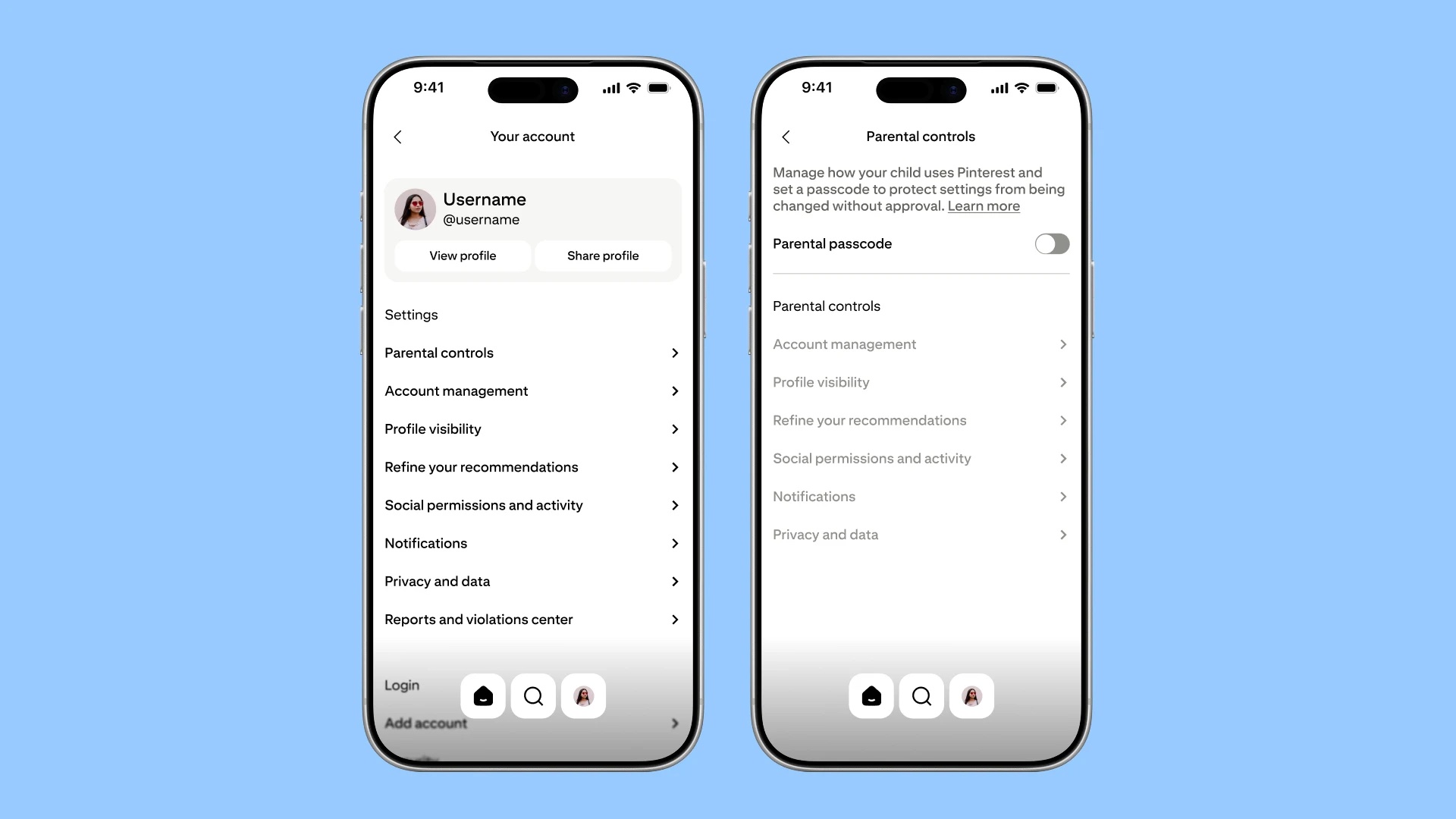
At Pinterest, we strive to lead on youth online safety by understanding how young people use our products and build protections that address the risks they may face. We’ve thoughtfully designed the platform to be age-appropriate from the start, with positive experiences for teens, including private-only accounts for users under 16, distraction-free school prompts, turning off notifications during late night hours, content controls and ongoing testing of new features and safeguards.
Young people should have experiences that are appropriate for their age, and caregivers should have one simple place to access granular settings and make additional protection choices that they feel are right for their family.
“We’ve built Pinterest to be a positive, age-appropriate place for teens from the start, with protections built in, not bolted on,” said Bill Ready, CEO of Pinterest. “For parents who want more involvement, the controls are easy to find and simple to use. Families can choose the experience that is right for them, while teens can continue to explore their interests and feel inspired.”
Parents and caregivers shouldn’t have to navigate a maze of settings to guide their teen’s experience. That’s why our new Parental Controls page features everything in one location.
It includes direct links to help update a teen’s device-level Screen Time and Location settings. On iOS and Android, this extends the experience beyond Pinterest and connects app-level settings with protections across a teen’s device. Parents can also find existing controls for private-by-default profiles, limits on ads personalization and controls for social features.
We’re also continually looking for new controls to offer that customize the experience for younger users. Now on the Parental Controls Page, you’ll find introducing new settings for:
-
AI-generated content: adjust the amount of AI-generated content appearing in a teen’s recommendations.
-
Notifications: adjust the volume of push, browser, email and in-app notifications.
-
Video autoplay: adjust whether videos can autoplay.
The page also brings existing protections front and center, including controls for social features like comments and mentions. Ads personalization can also be configured. Every setting on this page is locked by the Parental Passcode. When the Parental Passcode is enabled, teens need permission to make settings less restrictive.
Teen safety isn’t about adding the longest list of controls; it’s about making relevant protections accessible, clear and customizable for families.
( Press Release Image: https://photos.webwire.com/prmedia/7/364725/364725-1.jpg )
WebWireID364725
This news content was configured by WebWire editorial staff. Linking is permitted.
News Release Distribution and Press Release Distribution Services Provided by WebWire.