

Crun AI Unveils the Infinite Canvas Tool for Building Custom AI Content Workflows
Crun AI releases the Infinite Canvas Tool for creators, marketers, and developers to build creative AI workflow.
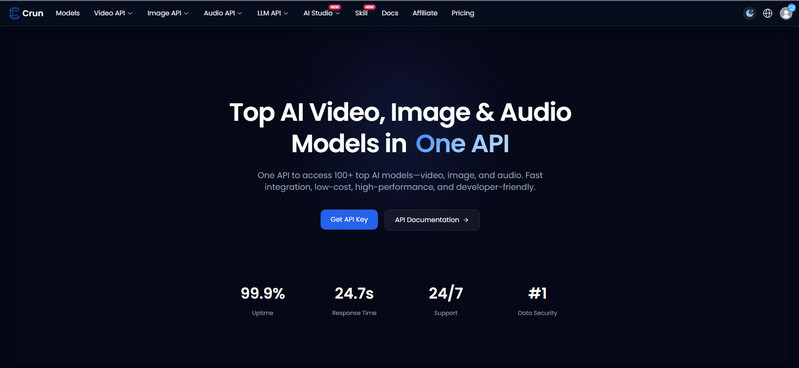
Crun AI, a unified AI platform for developers, content creators, and businesses, today announced the launch of its Infinite Canvas tool, a visual, node-based workspace designed to help users build, organize, and iterate on custom AI content creation workflows.
The addition of this tool brings prompts, reference assets, AI-generated images and videos, and creative iterations into a single visual workspace, allowing users to connect generation steps, compare creative directions, reuse assets, and continue developing an idea from concept to finished content.
Key Features of Crun AI Infinite Canvas
1. Build Custom AI Creative Workflows in One Visual Workspace
Thanks to the node-based workflow structure, users can combine assets, prompts, image generation, video generation, and post-processing steps on one canvas.
By uploading existing images, and videos files, adding text or sticky-note ideas, creating image or video generation nodes, and connecting them to pass references from one stage to another, generated results can then become inputs for subsequent creative steps.
This makes the Infinite Canvas particularly useful for workflows such as:
-
E-commerce: Turn product images and references into product visuals, advertisements, and product videos.
-
AI UGC Ads: Develop product concepts, generate visual variations, and transform selected images into video ads.
-
Social Media Content: Explore multiple creative directions and generate image and video assets for social campaigns.
-
AI Short Drama: Develop characters, scenes, references, and video sequences through connected creative stages.
-
Marketing Campaigns: Build and compare different visual concepts from the same campaign brief.
-
Creative Exploration: Experiment with compositions, styles, characters, backgrounds, and visual directions without losing earlier iterations.
2. Access Multiple AI Models in One Workflow
Infinite Canvas connects creative workflows with Crun AI’s broader ecosystem of image and video generation models, such as Seedance 2.5, Veo, Kling, Vidu, Runway, Grok Imagine, Nano Banana, Seedream, GPT Image, and others. It gives users the felxibility to select an appropriate model for different stages of a workflow rather than rebuilding the process across multiple platforms.
3. Connect References and Generation Results
Users are able to connect uploaded assets or previously generated results to new image and video generation nodes as reference materials. The canvas automatically validates reference requirements according to the selected model and generation mode.
This enables workflows such as:
Product Image → Creative Variation → Image-to-Video → Video Enhancement
or
Character Reference → Scene Image → Video Generation → Post-Processing
4. Compare Creative Variations Visually
Infinite Canvas makes it easier to explore and compare different creative directions within the same workspace. Creators can place multiple generations side by side and evaluate differences in composition, camera angle, color, character design, background, style, and overall visual direction.
Instead of deleting unsuccessful generations or losing track of previous experiments, users can keep relevant variations on the canvas and build from the strongest result.
5. Continue Editing and Processing Generated Assets
Users are capable of further editing the generated images by enhancing, cropping, removeing background, annotating, and more, as well as finetuning the generated videos by upscaling, and cropping within the created workflow of the Infinite Canvas. Processed results are added back to the canvas as new assets, allowing users to continue building from them.
This creates a more iterative creative process in which each generation can become the starting point for the next stage.
6. Organize Complex Projects with Groups
For larger projects, users can select multiple nodes and organize them into groups. Groups can be named, moved together, and referenced as a collection, making it convenient to manage complex workflows with multiple creative stages and assets.
7. Save and Continue Workflows
Infinite Canvas automatically records canvas operations and saves the current state. When users return to the same AI Flow page, their nodes, connections, and groups can generally be restored, allowing them to continue working without rebuilding the workflow from scratch.
Users can also upload an existing canvas to continue a previously created workflow, helping keep references, generations, and creative ideas organized across projects.
8. From One-Off AI Generations to Repeatable Creative Workflows
The launch of Infinite Canvas reflects a broader shift in AI content creation: creators increasingly need more than individual text-to-image or text-to-video generations.
A modern AI workflow may involve developing an idea, collecting references, generating multiple concepts, selecting the strongest direction, creating videos, refining assets, and producing multiple versions for different channels.
Infinite Canvas brings these steps into a visual environment where users can think, experiment, compare, connect, and iterate without losing the context behind their creative decisions.
For content creators and marketing teams, this can make AI generation more structured and repeatable. For e-commerce teams, it can simplify the process of turning product references into advertising assets. For creative teams, it provides a visual workspace for exploring and organizing AI-assisted production.
About Crun AI
Crun AI is a unified AI platform providing access to a broad range of AI models and capabilities through a single platform. Its ecosystem includes video generation, image generation, audio and music generation, and large language models (LLMs), helping developers, creators, SaaS companies, AI agents, and businesses integrate AI into their products and workflows.
By bringing multiple AI capabilities together, Crun AI aims to simplify AI development and content production while reducing the complexity of working across different models, APIs, and creative tools.
Contact
Website: https://crun.ai
Email: contact@crun.ai
YouTube: https://www.youtube.com/@CrunAIHub
X: https://x.com/CrunAI2026
( Press Release Image: https://photos.webwire.com/prmedia/107471/359072/359072-1.jpg )
WebWireID359072
 Infinite Canvas
- Contact Information
- DengChunlei
- Marketing Manager
- Crun.ai Inc.
- (86) 15927608586
- contact@crun.ai
This news content may be integrated into any legitimate news gathering and publishing effort. Linking is permitted.
News Release Distribution and Press Release Distribution Services Provided by WebWire.