

The Wish Upon a Jirachi event is underway in Pokémon Pokopia!
About the event
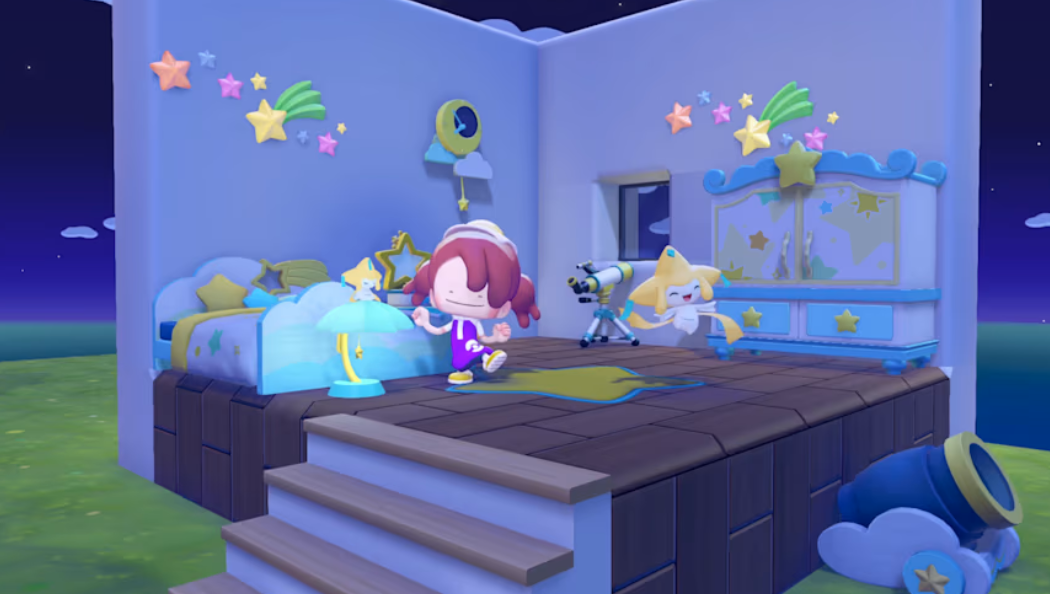
Jirachi, the Wish Pokémon, is coming to town! During the event period, you can befriend Jirachi. Additionally, you can collect shining wish notes, which are only available during the event, and exchange them for furniture and other items inspired by the starry sky.
Be sure to join the event and enjoy creating a room filled with stars!
From June 23 at 5:00 a.m. until July 8 at 4:59 a.m. local time.
How to play1. Talk to Jirachi! Listen to Jirachi’s request near the Pokémon Center and befriend them! You will receive the recipe for wish notes.
2. Collect shining wish notes! Craft wish notes at a workbench and fulfill Pokémon’s wishes! When you grant their wish, the wish note will become a shining wish note.
3. Trade items at the Pokémon Center! You can exchange the shining wish notes you’ve collected for special furniture and other items.
-
Download the update data (Ver. 1.1.0) from the HOME Menu, open the Options menu and confirm that the software version is Ver. 1.1.0.
-
Complete a town’s important requests and rebuild the Pokémon Center. You can enjoy the event after completing a town’s important requests and rebuilding the Pokémon Center. If you complete the requests and rebuild the Pokémon Center on July 8 (the final day), the event will still occur.
-
Set your Nintendo Switch 2 system date and time to the current real-world time. The event will not occur if your system is set to a date outside the event period.
-
Launch the game while connected to the internet. If the version displayed on the title screen is Ver. 1.1.0, the event will occur.
Please note:
-
This event does not occur on Cloud Islands.
-
Pokémon you befriend during this event will remain in your town even after the event ends.
-
An internet connection with Nintendo Switch 2 is required the first time you play the event.
-
If you meet the conditions to start the event during the event period, you’ll need to either move to another town once or choose “Save & Quit” from the main menu.
-
If playing this event in multiplayer (“Link Play”), please use Palette Town. Note that the event cannot be played in Spectator Mode.
-
When playing this event via communication in Palette Town, you must speak to Jirachi and hear the event details before starting multiplayer.
( Press Release Image: https://photos.webwire.com/prmedia/8/356668/356668-1.png )
WebWireID356668
This news content was configured by WebWire editorial staff. Linking is permitted.
News Release Distribution and Press Release Distribution Services Provided by WebWire.