

iMovieTool Newly Launched the Netflix Video Downloader: Powerful Features to Convert Netflix Videos to MP4 in 1080P
iMovieTool has officially introduced its new iMovieTool Netflix Video Downloader, a professional tool designed to help users download Netflix videos to MP4 quickly and easily while maintaining high video quality.
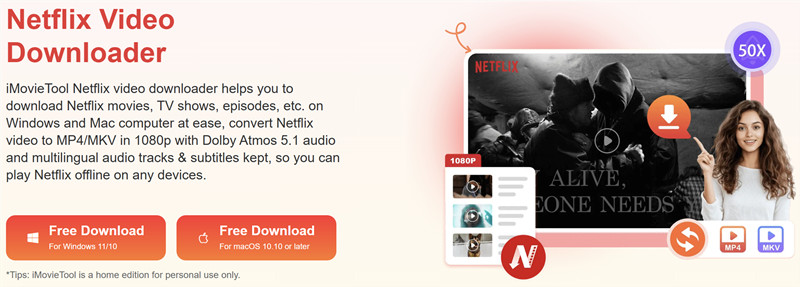
Netflix Video Downloader, iMovieTool
iMovieTool inc., the leading platform in streaming video download solutions provider, is excited to newly launched the Netflix video downloader to its suite of tools: iMovieTool Netflix Video Downloader. This powerful feature is designed to enhance the user experience by enabling seamless downloads of Netflix content in high-definition 1080p resolution with crisp AAC 2.0 audio, so that enhancing Netflix offline viewing experience.
Netflix provides lots of popular movies and TV shows for streaming, the subscribers can download the Netflix app on smartphone or tablet to save videos for viewing offline. However, most streaming platforms such as Netflix, Amazon Prime, HBO Max, Disney+, Hulu, Paramount+, and all others doesn’t offer the app for Windows and Mac, even you have downloaded Netflix contents for viewing offline in the app, you will find that once your subscription has expired, one can only watch it after renewal.
So the best way is to convert Netflix videos to MP4 for offline watching. Once you have saved Netflix videos as local MP4 files, you can keep them forever and watch them anywhere and anytime offline. To bring users more freedom when watching their favorite Netflix content offline, iMovieTool has released its newly upgraded iMovieTool Netflix Video Downloader. This powerful program allows users to download Netflix videos to computer, and save them as 1080p MP4 video files. With this tool, you can enjoy Netflix movies and shows on more devices without using the Netflix app.
Overview of iMovieTool Netflix Video Downloader
iMovieTool Netflix Video Downloader is an easy to use desktop program that helps users download Netflix videos to Mac and Windows computer for offline watching. This program is available on both Windows and Mac, you can save movies, TV shows, and Netflix originals directly to computers, making playback easier on different devices.
The program includes a built-in Netflix web player, so users can sign in to their account and browse the Netflix library without opening a browser or app. With just a few clicks, users can search for videos, adjust output settings, and convert Netflix to MP4 in Full HD 1080p and even 4K video quality while keeping original audio tracks and subtitles.
Moreover, iMovieTool Netflix Video Downloader supports batch downloads and fast download speeds, allowing users to save multiple videos or full seasons at once. After downloading, videos can be watched offline anytime or transferred to phones, tablets, smart TVs, or other media devices for flexible viewing.
Key Features of iMovieTool Netflix Video Downloader
iMovieTool Netflix Video Downloader is designed with multiple useful features to make downloading and converting Netflix videos easier and more flexible. Below are some of the highlights that make the software stand out.
# Convert Netflix to MP4/MKV for Flexible Playback
One of the biggest advantages of iMovieTool Netflix Video Downloader is its ability to convert Netflix to MP4/MKV format. After converting, users can save videos permanently on their computer and play them on many devices such as smart TVs, tablets, phones, gaming consoles, and media players.
# High Quality Video Output
iMovieTool Netflix Video Downloader keeps the original video quality when downloading. You can convert Netflix to MP4 with clear picture and smooth playback. It supports HD 1080p output, so you can enjoy your favorite Netflix movies and shows offline in great quality.
# Batch Download & 50X Fast Download Speed
iMovieTool Netflix Video Downloader allows you to download multiple videos at once. You can save a single movie or an entire TV season with just a few clicks. With faster download speed up to 50X, it helps you save time while building your offline video library.
Multiple Audio Tracks and Subtitle Options
iMovieTool Netflix Video Downloader keeps original audio tracks for high quality sound and lets you choose different audio languages. It also offers flexible subtitle options, allowing you to embed subtitles, save them separately, or select your preferred language before downloading.
How to Use iMovieTool Netflix Video Downloader
iMovieTool Netflix Video Downloader is designed with a simple interface so that both beginners and experienced users can use it without difficulty. Follow the steps below to convert Netflix to MP4.
Step 1. Download and Launch iMovieTool on Computer
Download and install iMovieTool Netflix Video Downloader on your computer. Open the program and sign in to your Netflix account through the built-in web player.
Step 2. Search for Netflix Videos
Use the search bar to find the movie or TV show you want to download. You can type the title or paste the video link to locate the content quickly.
Step 3. Adjust Output Settings
Click the Settings icon in the upper right corner. Here you can choose MP4 as the output format and customize other options such as video quality, audio language, subtitle language, and download location.
Step 4. Start Downloading Netflix Videos to MP4
Select the movie or episode you want and click the “Download” button. The program will begin converting Netflix to MP4 and saving the video to your computer.
Step 5. View the Netflix Video Downloads
After the download is complete, go to the “History” section to access the output folder and watch your videos offline anytime.
System Requirements
iMovieTool Netflix Video Downloader is compatible with both Windows and Mac. Please view the below system requirements and download the trial version to download your favorite movies and shows to watch offline now.
Free Download iMovieTool for Windows
https://www.tunesbank.com/download/tunesbank-imovie-tool-dl.exe
Free Download iMovieTool for Mac
https://www.tunesbank.com/download/tunesbank-imovie-tool-dl.dmg
Windows OS
System: Windows 11/10/8.1/8/7 (32-bit & 64-bit)
CPU: Intel Core i3 or higher; AMD Athlon or faster
Hard Disk Space: 20GB or above free space
RAM: 4G or more of RAM
Mac OS
System: Mac OS X 10.11 and above
CPU: Core 2 Quad or higher
Hard Disk Space: 20GB or above free space
RAM: 4G or more of RAM
Available Pricing Plans
iMovieTool Netflix Video Downloader provides both a free trial and a full version. The trial version allows users to download the first 6 minutes of each video files. We recommend you try the free trial and evaluate features before purchasing a license to unlock all features.
1-Month Subscription: US$24.95
1-Year Subscription: US$59.95
Single Lifetime Plan: US$89.95
The newly launched iMovieTool Netflix Video Downloader provides a simple and reliable way to convert Netflix to MP4 in 1080P. With its built-in Netflix browser, fast download speed, and flexible subtitle options, users can easily save their favorite Netflix movies and shows for offline viewing. This software offers a convenient solution for anyone who wants to watch Netflix videos on different devices without limitations.
About iMovieTool
iMovieTool is dedicated to developing practical multimedia tools that improve users’ streaming and offline viewing experience. Its software solutions help users download and manage videos from popular streaming platforms easily. With a focus on performance and simplicity, iMovieTool continues to provide reliable tools for users around the world.
Contacts
Official Website: https://www.imovietool.com/
Contact Form: https://www.imovietool.com/contact.html
Email: support@imovietool.com
Visit us on social media:
Facebook: https://www.facebook.com/imovietool
Twitter: https://twitter.com/TunesBank
TikTok: https://www.tiktok.com/@tunesbank
( Press Release Image: https://photos.webwire.com/prmedia/90437/352625/352625-1.jpg )
WebWireID352625
 Netflix Downloader
- Contact Information
- Steven Jone
- Marketing Manager
- iMovieTool,
- support@imovietool.com
This news content may be integrated into any legitimate news gathering and publishing effort. Linking is permitted.
News Release Distribution and Press Release Distribution Services Provided by WebWire.